Try It Yourself: Interactive Watermark & Metadata Analyzer
Use the tool below to upload your own JPEG or PNG image. Our server will analyze the file to extract any embedded metadata, EXIF information, and detect potential watermarks:
What This Tool Does:
✓ Extracts EXIF metadata (camera info, location, dates)
✓ Analyzes watermark presence and type
✓ Detects embedded ASCII strings
✓ Identifies file format anomalies
✓ Detects Google AI watermarks: C2PA Content Credentials, IPTC DigitalSourceType, and SynthID/Imagen/Gemini producer tags
✓ Generates a clean metadata-stripped version for download
Privacy Note: All analysis happens on our server. We do not store your images. The clean version is available for 7 days.
Analysis Results
| Filename | - |
| File Size | - |
| File Type | - |
| Dimensions | - |
Metadata vs. Watermarking: Understanding the Difference
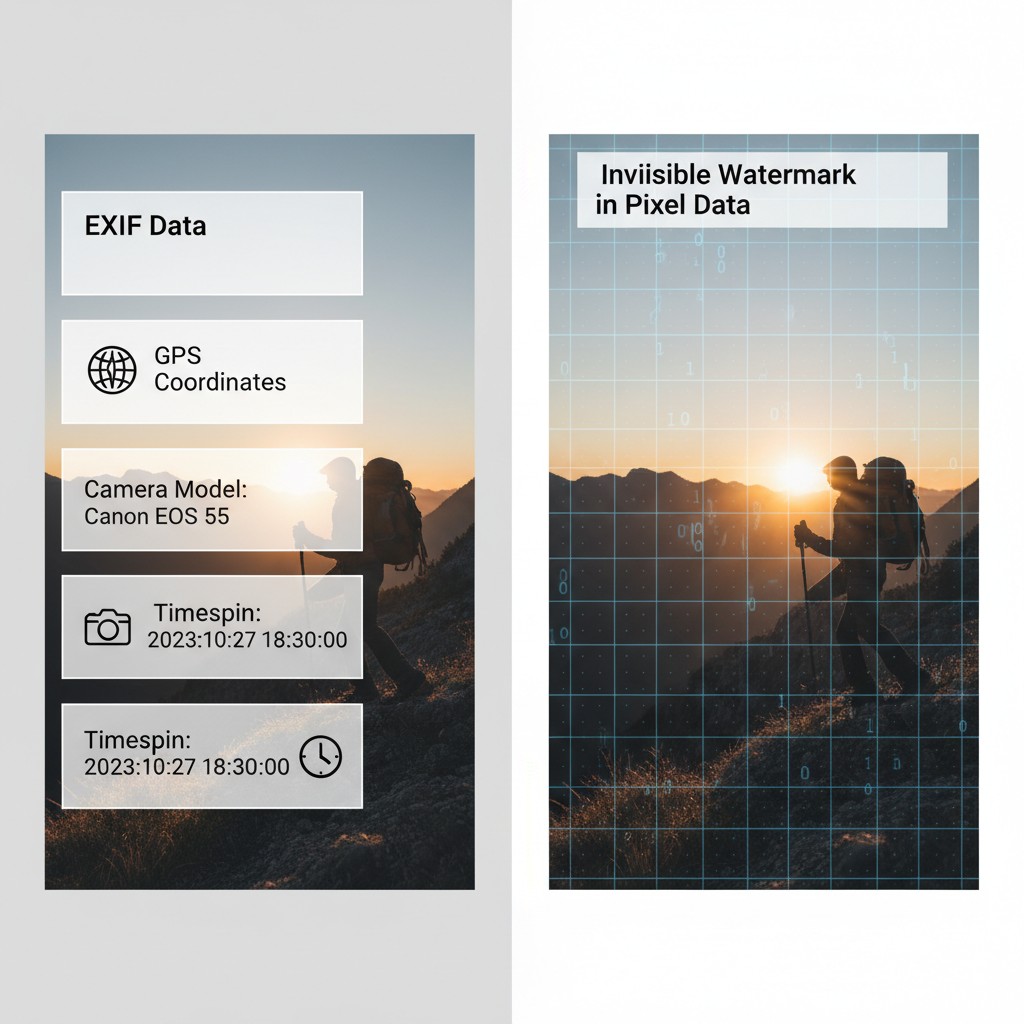
When analyzing digital images, it's important to understand the fundamental difference between embedded metadata and watermarks. While both store information within images, they operate very differently and require different approaches to detect and remove.
Embedded Metadata: Easily Identified & Removed
Metadata is descriptive information about an image stored in standardized formats alongside the image data itself. It does not alter the visual appearance of the image.
| Aspect | Description |
|---|---|
| Structure | Stored in discrete, well-defined sections (EXIF, IPTC, XMP, ICC Profile) |
| Visibility | Completely invisible — does not affect how the image looks |
| Detection | ✅ Trivial — tools like ExifTool read it instantly |
| Removal | ✅ Trivial — delete the metadata sections, recompress image |
| Integrity | Image quality unchanged after removal |
| Examples | GPS coordinates, camera model, timestamp, copyright info, keywords |
⚠️ Privacy Concern: Metadata removal is critical before sharing images, as it often contains sensitive information like your device model, exact location, and timestamp. However, removing metadata does not remove watermarks or other protections embedded in the pixel data itself.
Watermarking: Difficult to Detect & Remove
Watermarks are information embedded in the image data itself — they are part of the pixel values or frequency components. Watermarks are designed to be robust and persist even through image compression and modifications.
| Aspect | Description |
|---|---|
| Structure | Distributed throughout pixel data (LSB, frequency domain, spread spectrum) |
| Visibility | Imperceptible — designed to be invisible to human eye |
| Detection | ❌ Difficult — requires specialized statistical or frequency analysis |
| Removal | ❌ Very Difficult — attempted removal degrades image quality significantly |
| Integrity | Designed to survive compression, noise, cropping, rotation |
| Examples | Copyright protection marks, authentication signatures, fingerprints, DRM |
🔒 Protection Benefit: Watermarks are intentionally difficult to remove because removing them would degrade the image quality so much that it becomes unusable. This makes watermarks a more effective long-term protection mechanism than metadata alone.
Key Differences Summary
| Feature | Metadata | Watermarks |
|---|---|---|
| Stored In | Separate metadata sections | Image pixel data |
| Affects Image Look | No | No (when imperceptible) |
| Easy to Detect | ✅ Yes | ❌ No |
| Easy to Remove | ✅ Yes | ❌ No |
| Survives Compression | ❌ No (removed by most tools) | ✅ Yes (if well-designed) |
| Purpose | Describe/document image | Protect/authenticate image |
💡 Practical Insight: When you use the tool above to upload an image, the metadata (EXIF, location, timestamps) can be instantly stripped with a clean file download. However, any watermarks embedded in the pixel data will remain — they are part of the actual image content, not separate metadata. This is why serious content protection uses watermarking rather than metadata alone.
What is Image Watermarking?
Image watermarking is a sophisticated technique for embedding digital information into images in a way that is typically imperceptible to the human eye. Watermarks serve multiple critical purposes:
- Copyright Protection: Assert ownership and prevent unauthorized use
- Authentication: Verify that content hasn't been tampered with
- Metadata Embedding: Store information like timestamps, author details, or licensing terms
- Digital Rights Management (DRM): Control how content is distributed and used
- Steganography: Hide secret messages within images
The key challenge in watermarking is balancing robustness (resistance to attacks and modifications) with imperceptibility (invisibility to human perception).
Major Watermarking Techniques
Spatial Domain Methods
Spatial domain techniques directly manipulate pixel values, making them computationally simple but often vulnerable to compression:
| Technique | How It Works | Pros | Cons |
|---|---|---|---|
| LSB Substitution | Replaces least significant bits of pixel values with watermark data | Simple, high capacity, easy to implement | Vulnerable to compression, noise, lossy transforms |
| Pixel Value Differencing (PVD) | Exploits differences between adjacent pixels to embed data | Better imperceptibility, adaptive to image content | More complex, lower capacity than LSB |
| Histogram Shifting | Modifies pixel histogram by shifting values | Reversible, lossless watermarking possible | Limited capacity, visible artifacts at high embedding rates |
Frequency Domain Methods
Frequency domain techniques transform images into a different representation space, typically offering better robustness against attacks and compression:
| Technique | Transform | Characteristics | Best Used For |
|---|---|---|---|
| Discrete Cosine Transform (DCT) | Decomposes image into frequency components | Robust against JPEG compression, widely used standard | JPEG images, copyright protection |
| Discrete Wavelet Transform (DWT) | Multi-resolution decomposition into sub-bands | Excellent imperceptibility, good robustness | PNG, scientific images, high-quality requirements |
| Fourier Transform | Global frequency representation | Robust but computationally intensive | Research applications, geometric attacks testing |
Watermark Detection Methods
Blind Detection
Blind watermark detection extracts the watermark from an image without requiring the original image. This is the most practical approach since the original is typically not available during verification:
- Analyzes statistical properties of the image
- Detects anomalies that indicate watermark presence
- Can recover watermark data directly from the image
- Works with any watermarking technique that uses predictable embedding patterns
Non-Blind Detection
Non-blind detection requires the original unwatermarked image for comparison:
- Higher robustness and accuracy
- Can detect very subtle watermarks
- Impractical in most real-world scenarios
- Used primarily in security audits or forensic analysis
Matched Filtering
This detection technique correlates the suspected watermarked image with known watermark patterns to determine if a match exists. It's particularly effective for:
- Logo detection in images
- Verifying known watermarking schemes
- Image forensics and authentication
Metadata in Digital Images
Beyond embedded watermarks, images contain metadata that stores information about the image itself. Common metadata includes:
| Metadata Type | Description | Source |
|---|---|---|
| EXIF Data | Camera settings, timestamps, GPS coordinates, device info | Automatically captured by cameras/phones |
| IPTC Data | Copyright, keywords, credits, image description | Manually added by photographers/publishers |
| XMP Data | Extensible metadata in XML format, Adobe standard | Professional editing software |
| ICC Profile | Color space information for accurate color reproduction | Image editing applications |
| Content Credentials | Creator info, AI generation disclosure, modification history | Adobe, Photoshop, content creation tools |
Important Note on Privacy: iOS devices store location data in EXIF metadata. While this is disabled by default for uploaded photos to cloud services, it's critical to be aware that sharing raw image files can reveal your location history.
Mobile Phones & Camera Metadata
Modern smartphones automatically embed extensive metadata into photos:
- iPhone/iOS: Embeds GPS location, device model, timestamp, camera lens info, ISO, aperture, exposure time
- Android: Similar metadata including manufacturer, device model, location data (if enabled), sensor information
- Camera Model: Professional cameras include extensive EXIF data about all settings used
- Timestamp: Precise creation time down to seconds, can reveal location patterns over time
- Location Tags: GPS coordinates automatically recorded (most phones now default to OFF for privacy)
This metadata is often invisible to casual users but visible to anyone who extracts EXIF data. Location metadata combined with multiple photos can create a detailed location history of a person's movements.
Adobe & Professional Tools Metadata
Professional image editing software like Photoshop, Lightroom, and Capture One embed detailed metadata about editing operations:
| Software | Metadata Embedded | Key Information |
|---|---|---|
| Adobe Photoshop | XMP, IPTC, EXIF extensions | Edit history, content credentials, AI tool usage, creator info |
| Adobe Lightroom | Develop settings, EXIF preservation | Raw development parameters, keyword tags, color profiles |
| Capture One | ICC profiles, color corrections | Proprietary adjustments, layer information |
These tools store editing history, allowing photographers to review and undo changes, but also creating a complete record of all modifications made to an image.
AI-Generated Content: Industry Standards for Detection
With the rise of AI-generated images, the industry has developed standards to transparently label and verify content authenticity. This is critical for combating deepfakes and misinformation.
Content Credentials (C2PA Standard)
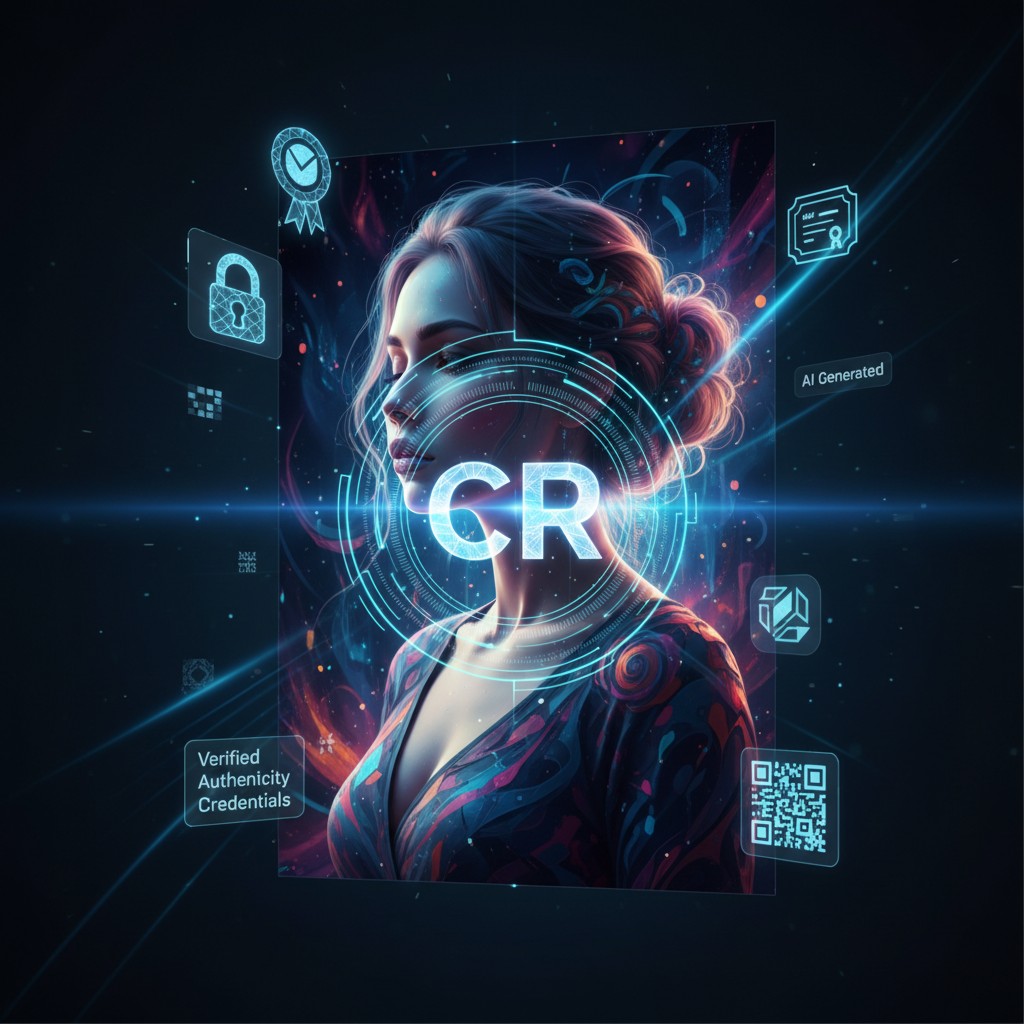
The Coalition for Content Provenance and Authenticity (C2PA) is an industry consortium that has developed technical standards for certifying digital content. Rather than detecting AI-generated content, C2PA focuses on transparent disclosure through embedded cryptographic metadata:
- C2PA Founding Members: Adobe, Microsoft, BBC, Intel, TrustNanoTech, Truepic
- Purpose: Create tamper-evident, cryptographically signed metadata proving content provenance
- Coverage: Specifies creator, creation date, tools used, AI involvement, modification history
- Verification: Others can verify the authenticity by checking the digital signature
- Visual Indicator: Often marked with a "CR" (Content Credentials) symbol in applications
How C2PA Flags AI Content
C2PA doesn't automatically detect undisclosed AI-generated images. Instead, it provides a framework for creators to transparently disclose AI tool usage through embedded metadata:
| Technique | How It Works | What Gets Recorded |
|---|---|---|
| Tool Attribution | Records which software/service created or modified the image | "Photoshop Generative Fill", "DALL-E 3", "Midjourney v6" |
| Edit History Manifest | Timestamp and sequence of all modifications | When AI was used, what was changed, in what order |
| Source Marking | Marks regions or entire images as "AI-generated" | Explicit disclosure in metadata and manifests |
| Model Information | Records which generative model was used | Model name, version, algorithm parameters |
| Cryptographic Signature | Non-repudiation: creator cannot deny using AI | Digital signature proving authenticity of claims |
Verification Process
Users can verify AI disclosure by examining Content Credentials:
- Check Embedded Credentials - View the "CR" badge in supporting applications
- Review Modification History - See timeline of all edits and tools used
- Examine Tool Chain - Identify exactly which AI tools were applied
- Verify Creator Signature - Confirm the creator's digital signature matches
- Cross-Reference Ledgers - Check against trusted registries of known creators
Adobe's Content Credentials Initiative
Adobe has been leading the charge in implementing Content Credentials across its Creative Cloud suite. When creators use AI tools, the software automatically records the usage:
- Generative Fill Tagging: Photoshop's AI-powered Generative Fill automatically records "AI-generated" in credentials when used
- Firefly Integration: Adobe's Firefly image generation model marks all generated content with source attribution
- Creator Attribution: Records the creator's Adobe ID and cryptographic signature
- Edit History Manifest: Detailed timeline showing: (1) Original creation, (2) When AI tools were applied, (3) What was modified, (4) Who made changes
- Tool Chain Transparency: Displays exact version of generative model used (e.g., "Firefly Gen 2" vs "Gen 3")
- Non-Repudiation: Creator's signature proves they cannot later deny using AI tools
- Free Verification Tool: Adobe's free web app allows anyone to verify Content Credentials on any file
How AI Tools Are Recorded in the Manifest
When a creator uses an AI tool like Photoshop Generative Fill, the Content Credentials embed this information:
- Source Field: Marks the tool name and version (e.g., "Adobe Photoshop 2025 with Firefly")
- Action Type: Records the specific AI operation performed (e.g., "Generative Fill", "Generative Expand")
- Regions Affected: Can mark specific areas of the image as AI-generated vs. original
- Confidence Metadata: May include model confidence scores for generated regions
- Integrity Hash: Cryptographic hash prevents modification without breaking the signature
Platform Implementation
Major social media and content platforms are adopting these standards:
| Platform | AI Content Labeling | Status |
|---|---|---|
| TikTok | Labels AI-generated images/videos with Content Credentials | Active implementation 2024+ |
| Meta (Facebook/Instagram) | Labels AI-generated images with "Made with AI" tag | Rolling out across platforms |
| Marks AI-generated content in partnership with C2PA | Available for creator tools | |
| X (Twitter) | Member of C2PA, implementing Content Credentials | In development |
What Gets Tagged?
Content Credentials typically capture:
- Creator Information: Who created the content (name, email, organization)
- Creation Date: When the content was created
- Tool Used: Which application created or modified the content (e.g., "Photoshop Generative Fill")
- AI Components: Specific disclosure if AI was used in generation or enhancement
- Edit History: Chain of custody showing all modifications
- Signature: Cryptographic proof that credentials haven't been tampered with
⚠️ Photoshop's Missing C2PA Support
Important Discovery (November 2025): Despite Adobe being a founding C2PA member, Photoshop does not currently embed Content Credentials when using Generative Fill. When saving files with generative fill in Photoshop 26.x, the metadata includes:
- ✅ Standard XMP metadata (creation date, software version, modification history)
- ✅ CreatorTool identification ("Adobe Photoshop 26.x")
- ❌ No C2PA Content Credentials manifest
- ❌ No explicit "AI Used" disclosure tags
- ❌ No generative fill attribution
What this means: A Photoshop file saved after using Generative Fill will not automatically disclose that AI was used, unless the creator manually adds a description or uses additional tools. The metadata only shows "edited with Photoshop," not that AI generation was involved.
Critical Limitations of C2PA
While Content Credentials represent significant progress in transparency, they have fundamental limitations that make them a disclosure framework, not a detection system:
| Limitation | Impact | Real-World Example |
|---|---|---|
| ❌ No Detection of Undisclosed AI | Cannot identify AI usage if creator doesn't disclose it | Bad actor creates image with DALL-E but omits Content Credentials |
| ❌ Voluntary, Not Mandatory | Creators can choose not to add credentials | Millions of AI images uploaded daily without any disclosure |
| ❌ Stripping in Workflows | Metadata lost when re-exporting from incompatible tools | Photoshop → export as JPEG → email → credentials removed |
| ❌ Social Media Stripping | Platforms recompress and remove metadata | Instagram removes Content Credentials during upload processing |
| ❌ Backfilling Gap | Only works for new content going forward | Billions of existing AI images without credentials |
| ❌ Trust Assumption | Only valid if you trust the creator/source | Compromised account could sign false credentials |
| ❌ No Deepfake Detection | Won't identify sophisticated manipulations | Face-swap deepfakes or synthetic media may have false credentials |
⚠️ Key Insight: C2PA is a transparency tool for honest creators, not a detection tool for deceptive actors. If someone wants to use AI secretly, C2PA cannot stop them. It's designed to help ethical creators prove their practices, not to catch bad actors who deliberately omit disclosure.
Google's AI Watermarks: SynthID, C2PA & IPTC Tags
Google uses several overlapping mechanisms to mark images generated by its AI products (Imagen, Gemini, ImageFX, Vertex AI). The tool above looks for every one of them that lives in metadata or detectable byte signatures. Only the pixel-level SynthID watermark itself is outside what any client-side tool can verify — that requires Google's own classifier.
SynthID (DeepMind) — the Pixel-Level Watermark
SynthID is Google DeepMind's imperceptible watermark, embedded directly into the pixel values of images produced by Imagen and Gemini. It's designed to survive:
- Cropping, scaling, and rotation
- JPEG/WebP compression and re-encoding
- Colour adjustments, filters, and screenshots
- Adding noise or text overlays
Because the signal is distributed across many pixels at sub-perceptual amplitudes, detection requires a paired classifier that knows what to look for. Google maintains the SynthID Detector as a limited-access tool — there is no open detector and no metadata flag for the watermark itself. Our tool cannot verify SynthID; it can only flag the metadata that usually accompanies Google AI output. If you need pixel-level verification, submit the image to Google's SynthID Detector.
Why this matters: SynthID is the only Google signal that's hard to strip. C2PA manifests and IPTC tags can be removed by re-saving the file; the SynthID pixel watermark is designed to survive that. It's also the only signal that exists in Imagen output by default, whether or not the creator opts into provenance metadata.
C2PA Content Credentials
Google joined the C2PA steering committee in 2024 and now attaches signed Content Credentials to AI-generated images from its products. These are cryptographically signed JUMBF boxes embedded in the file — the same standard Adobe uses. The tool above scans for these byte signatures:
| Marker | What it indicates |
|---|---|
jumb / jumbf | JUMBF container — the box format C2PA manifests live inside |
c2pa | C2PA namespace identifier |
c2ma | C2PA manifest box (the actual provenance claim) |
c2cl | C2PA claim box |
c2cs | C2PA claim signature |
contentcredentials | Adobe/C2PA reference URL embedded in manifest |
A positive C2PA hit tells you the image carries a signed provenance claim from some trusted issuer (Google, Adobe, a camera maker, etc.). To inspect the actual manifest contents — who signed it, what model created the image, what edits were applied — drop the file into the official verifier at contentcredentials.org/verify.
IPTC DigitalSourceType
Google also writes a standard IPTC photo-metadata field that classifies the origin of the image. The vocabulary is defined by IPTC's NewsCodes registry:
| Value | Meaning | AI? |
|---|---|---|
trainedAlgorithmicMedia | Fully synthesised by a generative model | ✅ Yes — full AI |
compositeWithTrainedAlgorithmicMedia | Real content mixed with AI-generated elements (e.g. Generative Fill on a photo) | ⚠️ Partial AI |
trainedAlgorithmicData | Output derived from a trained algorithm | ⚠️ Algorithmic |
algorithmicallyEnhanced | Enhanced (denoise, upscale) but not generated | No |
digitalCapture | Original photograph from a sensor | No |
Google uses trainedAlgorithmicMedia for images created entirely by Imagen/Gemini, and compositeWithTrainedAlgorithmicMedia when AI is used to edit a real image. Unlike C2PA, this is plain metadata — easy to read, but trivially strippable by re-saving the file or routing it through most social platforms.
Producer / Software Hints
Even when the formal C2PA and IPTC fields are missing, files from Google's tools often leave product-name fingerprints in XMP or the raw byte stream. The tool above flags any of: SynthID, Google DeepMind, Imagen, Gemini, ImageFX, Vertex AI, AI Studio, MakerSuite, NotebookLM. These hints are weaker than a signed manifest — they're easy to fake or strip — but they're a useful corroborating signal when present.
What the Tool Above Can and Can't Detect
| Signal | Detected by this tool? | Why / Why not |
|---|---|---|
| C2PA manifest (JUMBF) | ✅ Yes | Byte signatures are well-defined and present in the file |
IPTC DigitalSourceType | ✅ Yes | Plain text in XMP packet; parsed by exifr + byte scan |
| Google producer / software names | ✅ Yes | Product-name byte scan + XMP Software/CreatorTool |
| SynthID pixel watermark | ❌ No | Requires Google's proprietary classifier — no public detector exists |
| Stripped/re-encoded images | ⚠️ Partial | If metadata is stripped, only SynthID survives — and we can't see it |
⚠️ Bottom line: A "no markers detected" result from this tool means there's no declared Google AI provenance — it does not mean the image isn't AI-generated. The pixel watermark is the only signal designed to survive adversarial stripping, and it's the one signal nobody but Google can currently verify.
Real-World Case Study: Currency Watermarking & Device Locks
One of the most sophisticated and legally-enforced applications of watermarking technology exists in physical currency. Governments and central banks embed invisible watermarks into banknotes to prevent counterfeiting, but also to prevent digital reproduction — a technology so effective that scanners and printers actively refuse to process images of currency.
How Currency Watermarking Works
Modern banknotes contain multiple layers of watermarking technology:
- Visual Watermarks: Visible light and shadow patterns that appear when held to light (security features you can see)
- Fluorescent Markers: Hidden patterns visible only under ultraviolet light
- Microprinting: Extremely small text (0.5-1mm) readable only with magnification
- Color-Shifting Ink: Pigments that change color based on viewing angle
- Magnetic Ink: Embedded in specific areas for machine-readable authentication
- Encoded Metadata Watermarks: Digital signatures embedded in the bill's material structure itself
The Device Lock: Preventing Digital Reproduction
Perhaps the most fascinating watermarking application is the invisible digital watermark embedded in physical currency that prevents digital reproduction. This works through a coordinated industry standard called Currency Recognition Technology (CRT) or EURion Constellation:
| Component | How It Works | Purpose |
|---|---|---|
| EURion Constellation | A pattern of dots arranged in a circle, invisible to naked eye but detectable by image processing software | Signals to scanners/printers that the image is currency and should be rejected |
| Optical Recognition Patterns | Specific spacing and positioning of design elements that form a unique signature | Allows software to identify which country's currency is being scanned |
| Color Space Markers | Specific CMYK or RGB values arranged in patterns that occur nowhere else in nature | Enables color detection that identifies currency even in black & white scans |
| Bilateral Symmetry Patterns | Design elements intentionally placed to create patterns that software flags | Multiple overlapping verification methods increase detection probability |
Device Cooperation & Legal Framework
The technology only works because of widespread industry cooperation:
- Scanner/Printer Manufacturers: Adobe, Canon, HP, Xerox, Brother, and others integrate currency detection algorithms into their firmware
- Image Processing Software: Libraries like ImageMagick, OpenCV, and proprietary tools check for CRT patterns before processing
- Mobile Devices: Some smartphones' default camera apps refuse to photograph currency in certain countries
- Web Browsers: Some have considered (but not widely implemented) blocking currency images from being processed by JavaScript canvas operations
- Legal Enforcement: Attempting to reproduce currency is illegal in virtually every country, even as a digital reproduction
Detectability & Robustness
Currency watermarks are extraordinarily robust because they're designed to survive:
| Attack/Modification | Watermark Status | Why |
|---|---|---|
| JPEG Compression | ✓ Still detectable | CRT patterns are designed to survive lossy compression |
| Brightness/Contrast Adjustment | ✓ Still detectable | Patterns are based on relationships, not absolute values |
| Color Channel Manipulation | ✓ Still detectable | Multiple channels are analyzed independently |
| Rotation/Cropping | ⚠️ Partially detectable | Works if enough of the bill remains; complete removal requires significant cropping |
| Photocopy of Photocopy | ✓ Still visible | Physical watermarks (holograms, microprinting) survive analog copying |
The Paradox: Detection Through Cooperation, Not Cryptography
Fascinating Insight: Currency watermarking is unique because it relies on industry-wide cooperation rather than cryptographic security. The watermarks aren't encrypted or unhackable — they're simply patterns that manufacturers agree to recognize and reject. Someone with technical knowledge could theoretically disable the detection in their scanner firmware, but doing so would be illegal and serve no legitimate purpose. This represents one of the most successful real-world examples of watermarking being effective through legal and commercial enforcement rather than technical invulnerability.
Why This Matters to Image Watermarking
Currency watermarking teaches us several critical lessons about watermark design:
- Redundancy is Essential: Multiple independent watermarks (visible + invisible + microprinting) ensure detection survives various attacks
- Industry Standards Enable Scale: A single manufacturer could be defeated; coordinated standards are far more effective
- Robustness Matters More Than Secrecy: Watermarks don't need to be secret to be effective
- Legal Framework is Critical: Technical measures alone are insufficient without legal consequences for circumvention
- Perception Matters: If enough devices refuse to process an image, people will eventually stop trying
Practical Applications
Understanding watermarking and metadata has numerous real-world applications beyond currency:
- Content Protection: Entertainment companies embed watermarks in movies and music
- Digital Forensics: Law enforcement analyzes embedded data in evidence
- Authenticity Verification: Detecting deepfakes and AI-generated images
- Privacy Protection: Identifying and removing location data before sharing
- Document Management: Tracking confidential documents with unique watermarks
- Supply Chain: Verifying product authenticity with embedded markers
Attacks Against Watermarks
Watermarking systems must be robust against various attacks designed to remove or invalidate watermarks:
| Attack Type | Description | Countermeasure |
|---|---|---|
| Compression | JPEG/PNG compression removes subtle watermarks | Use frequency domain methods robust to compression |
| Noise Addition | Adding random noise obscures watermark | Employ error correction codes in watermark |
| Geometric Attacks | Rotation, scaling, cropping distort watermarks | Use geometric-invariant transformation methods |
| Filtering | Signal processing filters remove subtle watermarks | Embed in perceptually significant regions |
| Collusion | Multiple copies averaged to remove unique watermarks | Use fingerprinting with unique marks per copy |
Future Trends in Watermarking
The field of digital watermarking continues to evolve with emerging technologies:
- AI-Based Detection: Deep learning models for identifying AI-generated images and watermarks
- Blockchain Integration: Immutable records of watermarking and content provenance
- Adversarial Robustness: Watermarks resistant to adversarial attacks and AI manipulation
- Multi-Modal Watermarking: Combining techniques across image, audio, and video
- Edge Computing: Real-time watermark extraction on edge devices
Conclusion
Image watermarking is a critical technology for protecting digital content in an increasingly connected world. Whether you're concerned about copyright protection, privacy preservation, or digital authenticity, understanding both the techniques used to embed information and the methods to detect it is essential.
The interactive tool above demonstrates how metadata extraction works in practice. As images continue to travel across networks and be shared on social media, awareness of embedded information has never been more important. Always consider what metadata your images contain before sharing them publicly.